
Music and sound,
made by you. Fast.
A complete DAW for producers, musicians and game developers. Shape sounds with built-in synths, sampling and effects, and build full songs on a flexible arrangement timeline. Professional results, priced for independent creators.
Free during the beta. On sale later.
Press one
Instruments to write with, and sounds designed from scratch. All are Subtone's own templates, unchanged. For the web they are mono, matched in level and at most three seconds long.
Write the whole track
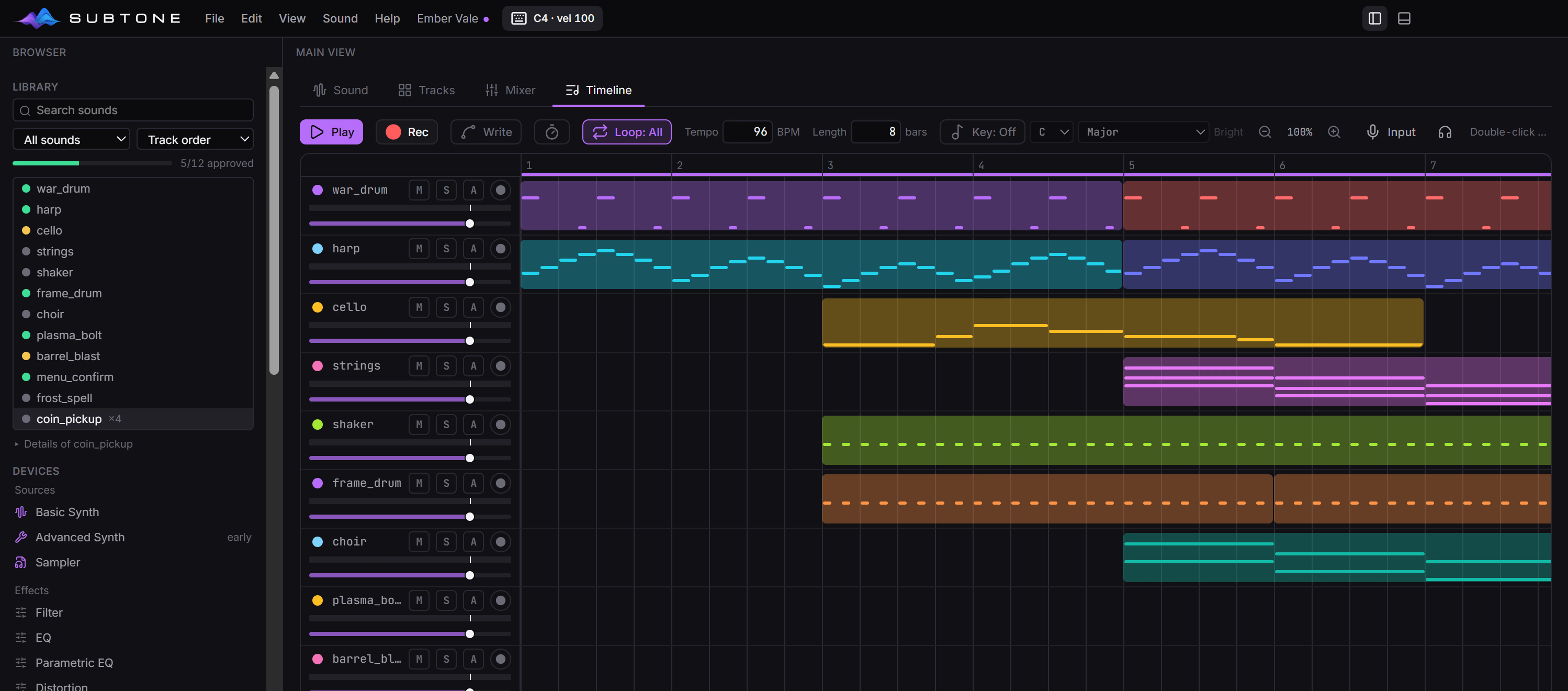
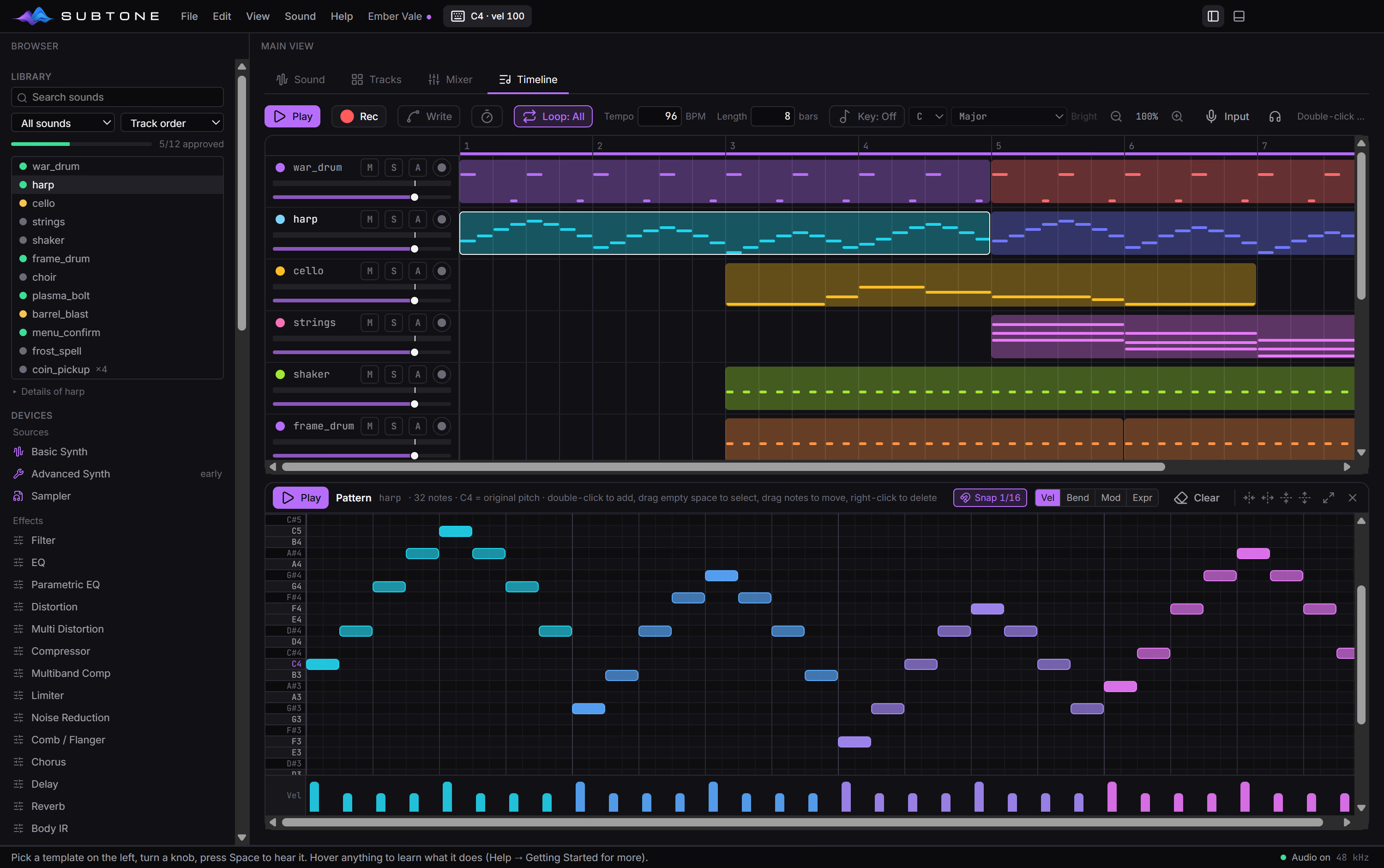
Arrange patterns and recordings on the timeline, write parts in a pattern editor with velocity, bend and expression lanes, and balance it all in the mixer. Solo strings, harps, war drums and bells are in the box. Export it all as one WAV: a song to release and grow a following with, or the score for a game.
See the whole mix at once
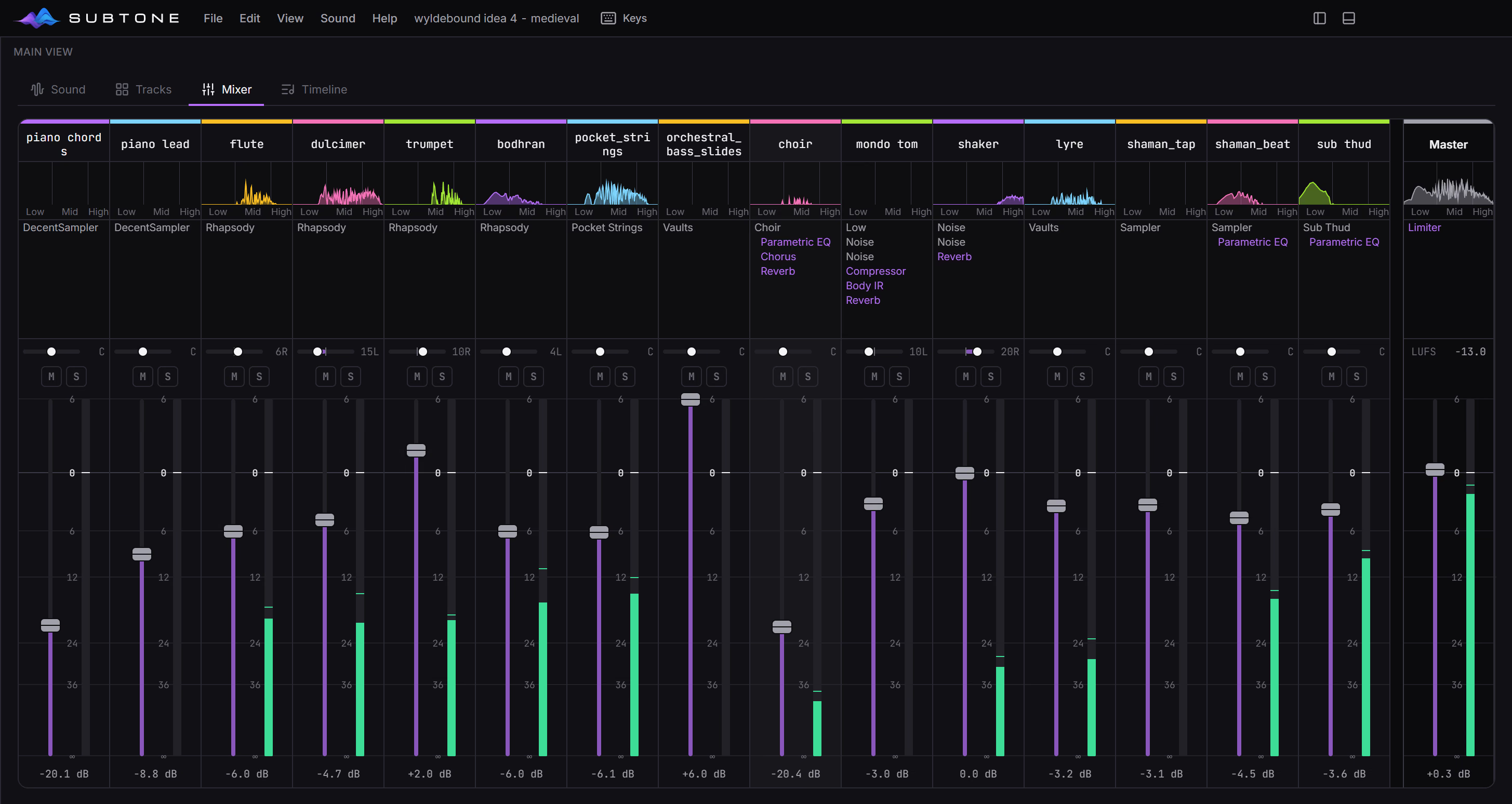
Every channel strip in the mixer shows what its sound is doing, live: lows on the left, highs on the right, in the track's own colour. With a dozen parts playing you can see which ones fill the same space and where there is still room, then go straight to the fader or the EQ.
A preview on every strip
Low, Mid and High at the top of each channel. A heavy bass, a thin flute or two parts in the same range show up without opening an analyser.
The strip tells you the rest
Pan, mute, solo, fader and meter, with the layers and effects of each sound listed. Click an effect to open it.
The master in view
The spectrum and loudness in LUFS of the whole mix stay beside the tracks, so you see what each change does to the total.
Straight into a game
Making a game? Point Subtone at your Unity, Godot or Unreal project and it suggests the folder, the format and the file names. Each file is trimmed and matched in loudness to its category.
Change one sound and only that one counts as changed. Subtone never overwrites a file it did not write.
How exporting works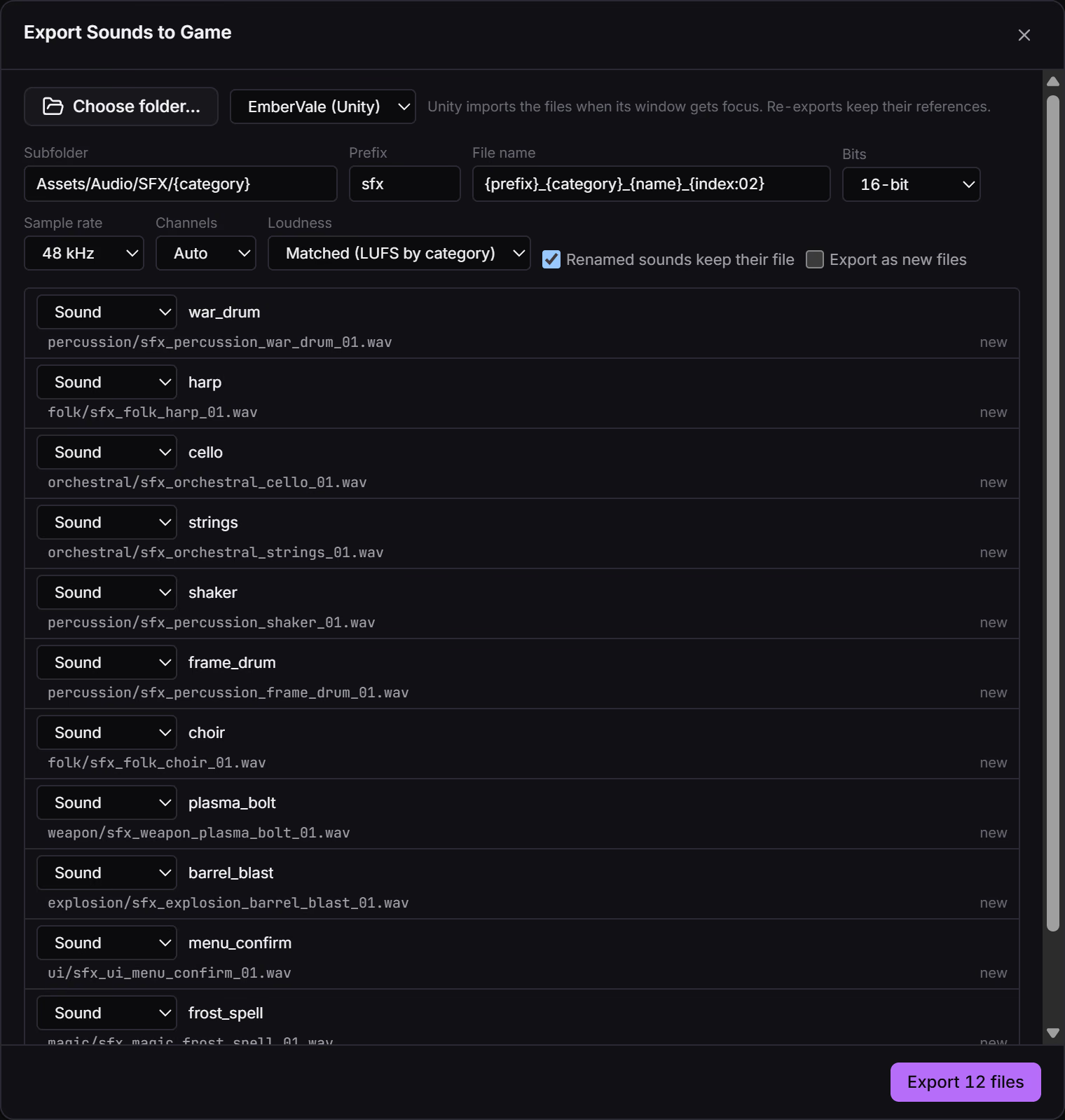
Sounds for everything that happens
Make the many small effects that fill in the actions and events throughout your game: footsteps, pickups, hits, doors, menu clicks.
Music that is yours
Score your game with original music, written by you and unique to it. Not stock, and not from a pack.
A modern interface, shaped by you
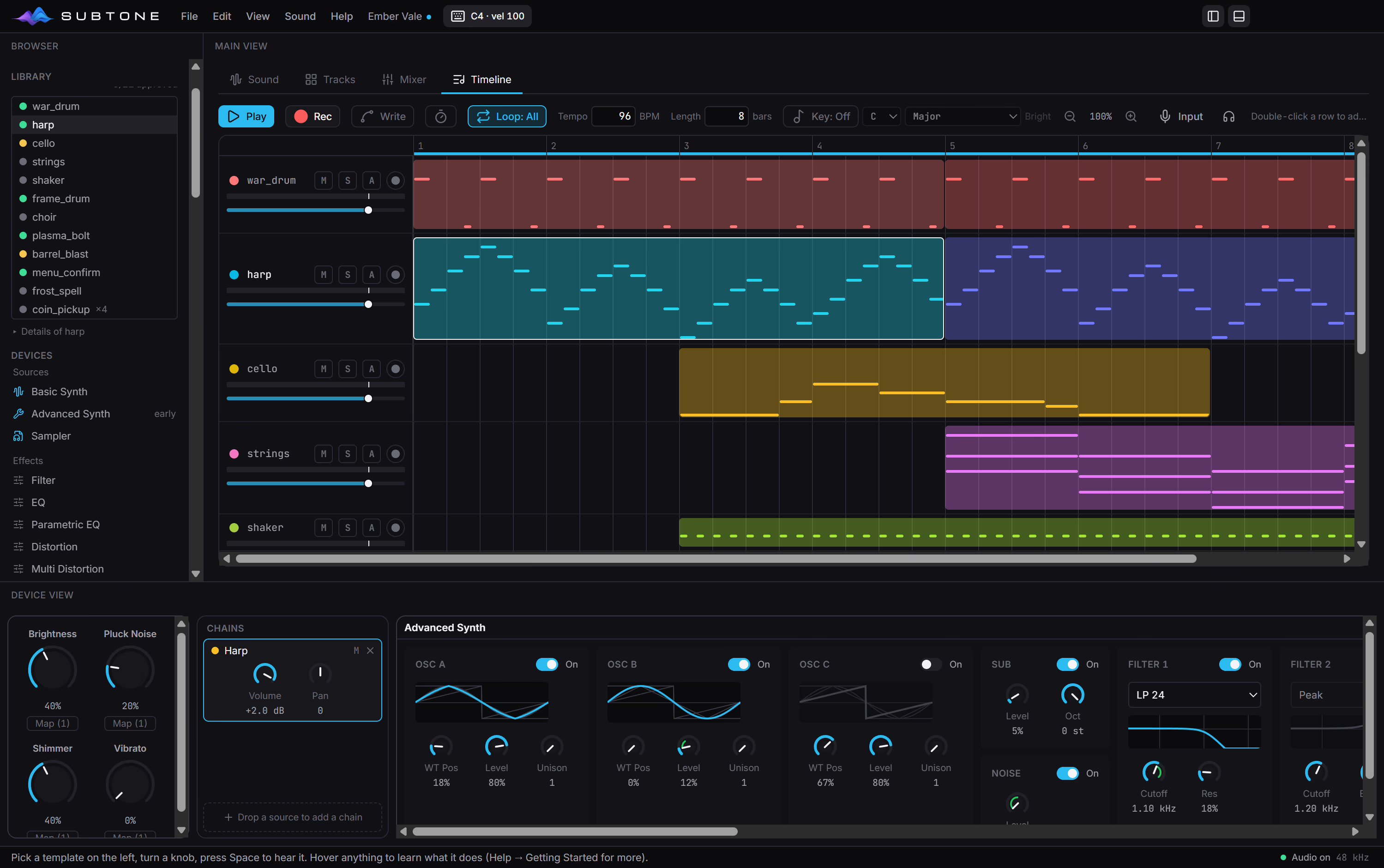
Subtone is designed for the screens and habits of today: four clear tabs, one dark look throughout, and a hint for whatever you point at. Then arrange it and colour it until it feels like yours.
Room for what matters
Drag the Browser and the Device View to size, or fold them away. Set the height of each track, and open the pattern editor as a window you can move and resize. Your layout is there next time.
Colour everything
Pick a colour for every track, for single patterns and recordings, and even for notes. Five accent colours change the look of the whole app.
Work your way
Run commands from the menu, the keyboard or a searchable command palette. Map knobs and actions to your MIDI controller, map your own macros and keep your sounds in My Patches.
A deep synth when you want one
Three wavetable oscillators with up to 16 unison voices each and two warp stages, a sub and noise. Two filters, four envelopes, four LFOs and a 32-slot modulation matrix: drag a source onto a knob.
Or stay with the Basic Synth. The choice is per layer, and a sound can stack eight of them.
Inside the Advanced Synth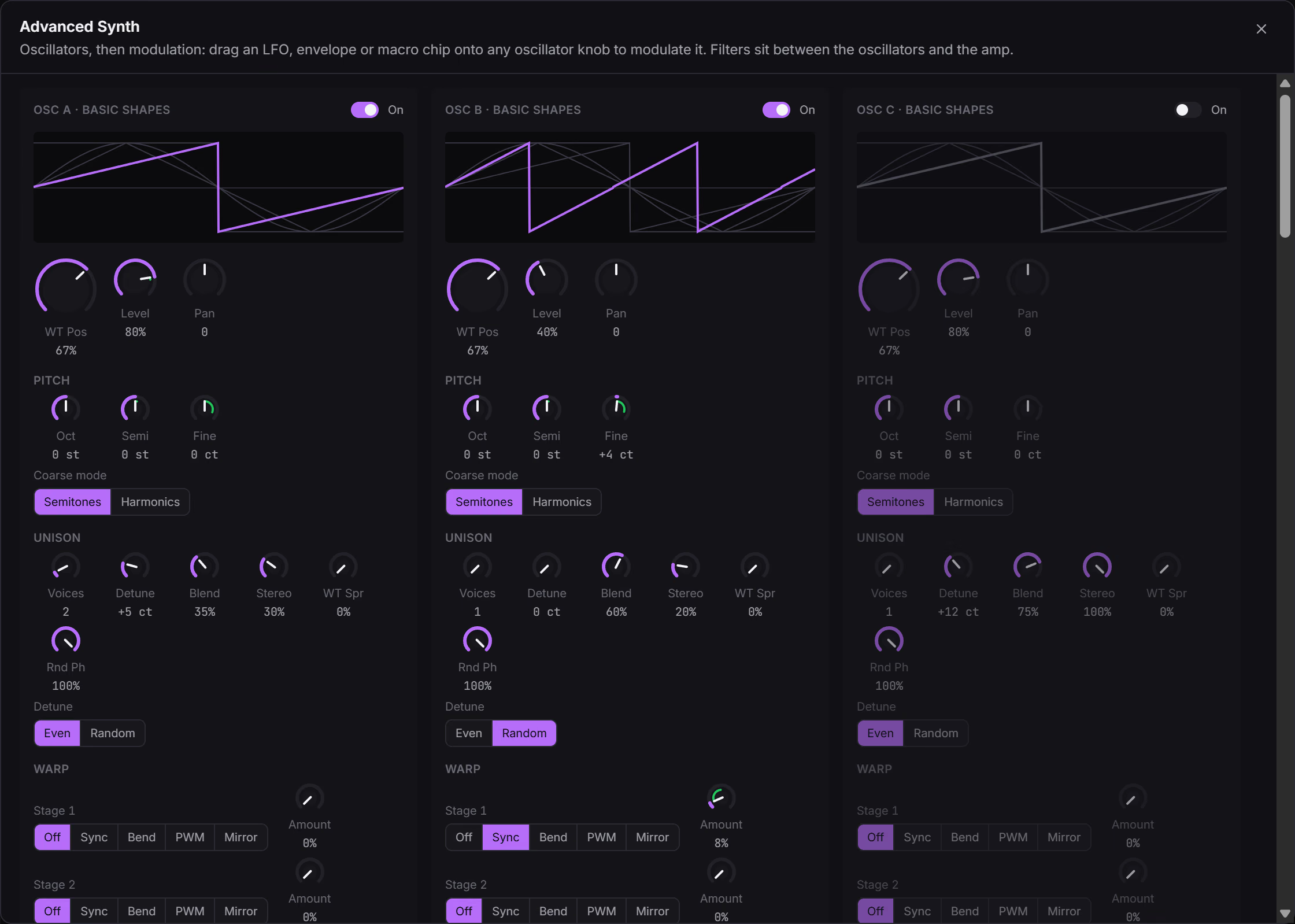
Seventeen effects, any order
Parametric EQ, multiband compression, stacked distortion, reverb, delay, comb, chorus, a lookahead limiter, an instrument-body resonator and noise reduction for recordings. Put them on a layer, on the whole sound or on the master.
All the effects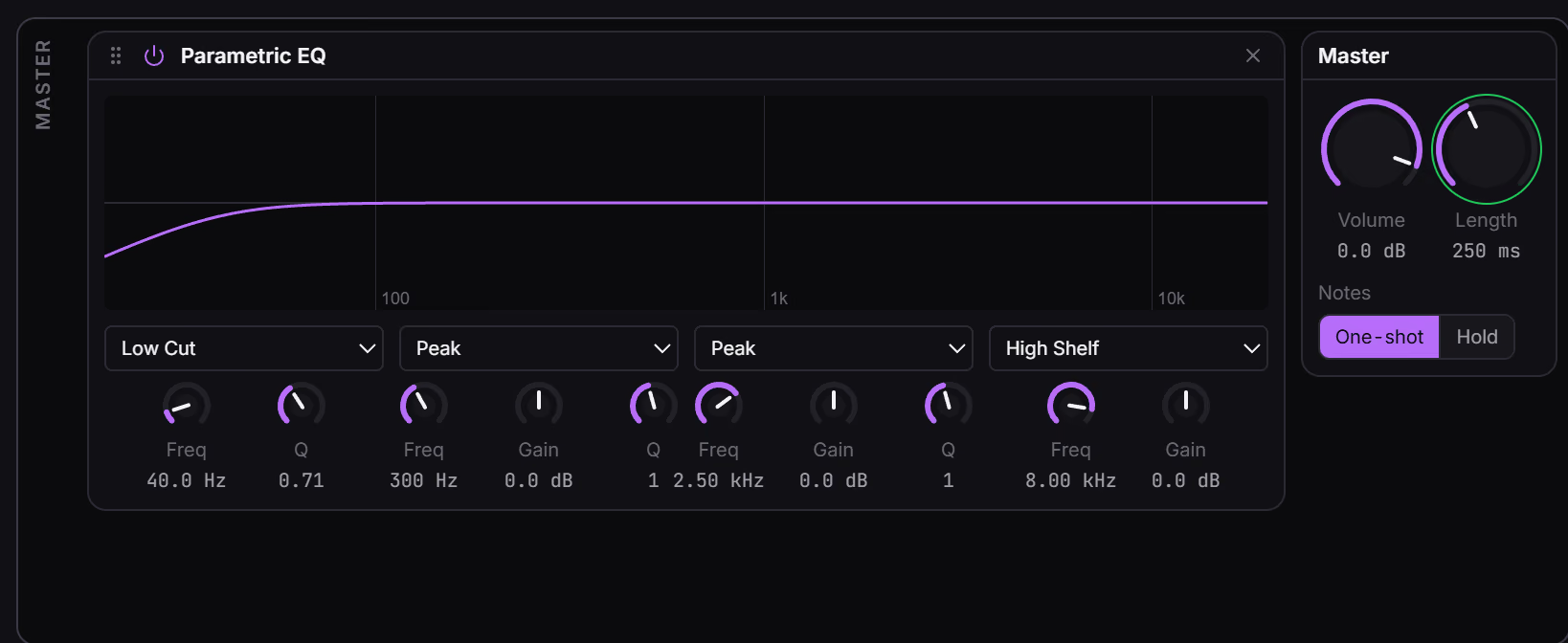
And the rest
Macros
Every template comes with four big knobs for what matters. Map your own in one click.
VST3 instruments
Optional extras: add your own synths and their presets. Finished clips are frozen into the project, so they play without the plugin.
Free plugins we recommendSampler
Drop in audio you already have (WAV, MP3, FLAC or OGG), set the loop and play it across the keyboard.
Recording
Record a voice or an instrument straight onto the timeline.
MIDI and QWERTY
Play with a MIDI keyboard, or press M and use the one in front of you. Map any knob to a controller.
Automation
Draw a knob over time, or turn it while it plays and have it written down.
Mutate
Variations of a sound when you want them, from a subtle change to a happy accident.
How Mutate worksScopes and LUFS
See the wave, the spectrum and the loudness while you listen.
Sound library
Tags, search and review status for every sound in the project, and which ones changed since the last export.
Project key
Pick a key and off-key notes are marked. Fit them with a click, or leave them.
Free during the beta
Everything is included while Subtone is in beta. After the beta it will be a one-time purchase, with a 30-day free trial first.
It's free, so we can hear from you
Tell us what breaks and what you wish Subtone did: Help → Send Feedback (or the Feedback button) in the app, or Help → Report a Bug and Help → Request a Feature, or email [email protected].